K-MEMOKIT 2.1.4.0 · WINDOWS DESKTOP

Start with a single note.
Keep your whole day moving.

Capture ideas, plan, search, calculate, record your screen, and share. K-MemoKit brings the tools scattered across your day into one continuous workflow.

  • Windows 10·11
  • x64
  • No account required
  • 한국어 · English · 日本語

To celebrate the launch, every feature is free. No account or subscription required.
For personal, non-commercial use.

Actual product footage 60 sec Muted

WHY K-MEMOKIT

Tired of switching windows
more than doing the work?

Ideas in one app, schedules in another, links in your browser, and calculations in yet another window? K-MemoKit puts your records and next actions in one place, so you spend less time searching and more time moving forward.

  1. 01CaptureNotes · checklists · tables
  2. 02PlanSchedules · repeats · alerts
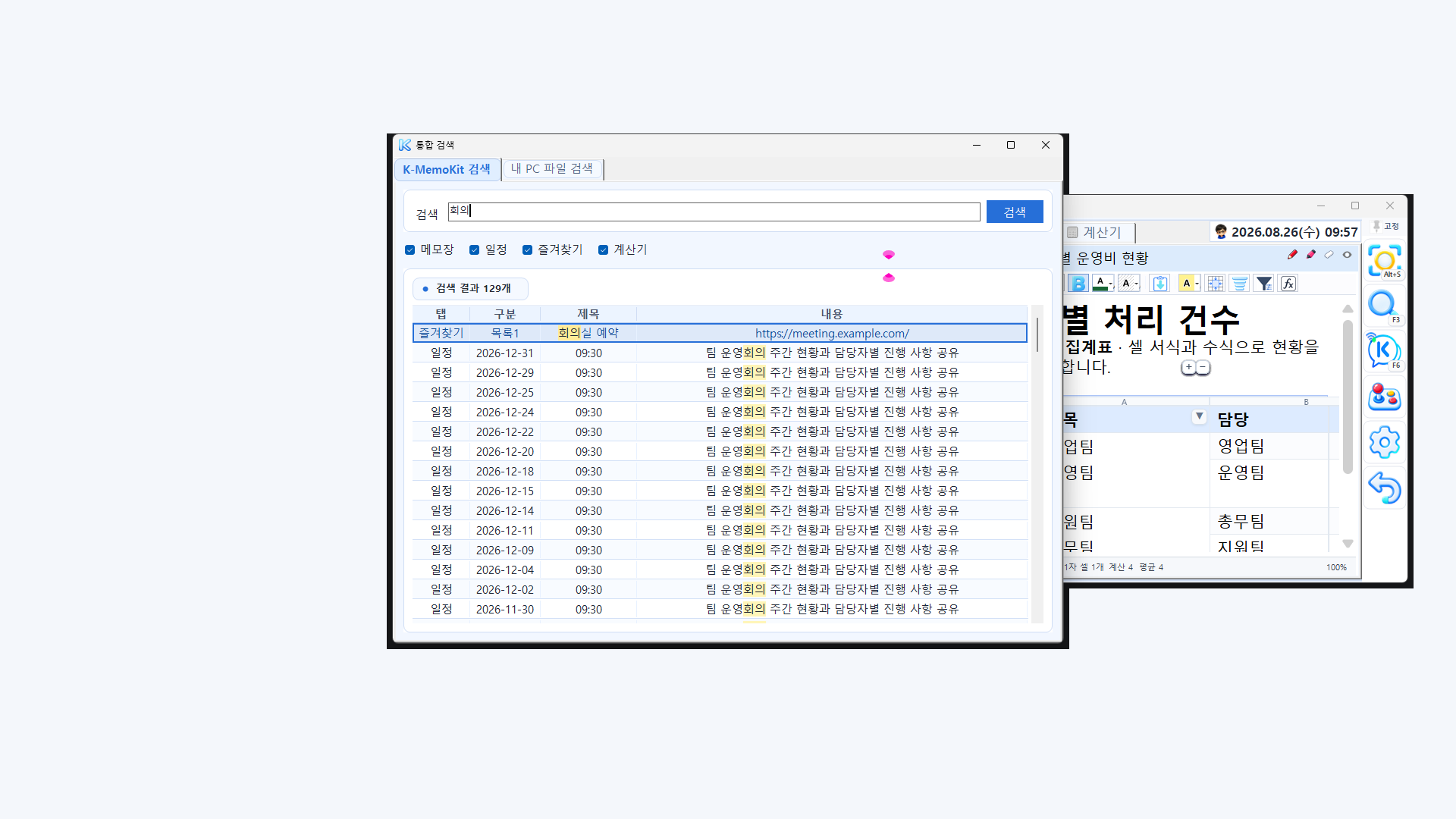
  3. 03FindUnified and file search
  4. 04CalculateScientific · unit conversion
  5. 05RecordCapture · screen recording
  6. 06ShareK Talk · device transfer

“The right tool should be closest when you need it most.”

K-MemoKit does more than collect features—it connects what you are doing now to what comes next.

ONE FLOW, EVERYDAY

Not just more features.
Fewer breaks in your day.

The tools are arranged around the way work actually unfolds. Add them naturally to your routine instead of learning a separate workflow for every task.

01 · NOTE TO ACTION

Turn what you write
into what you do.

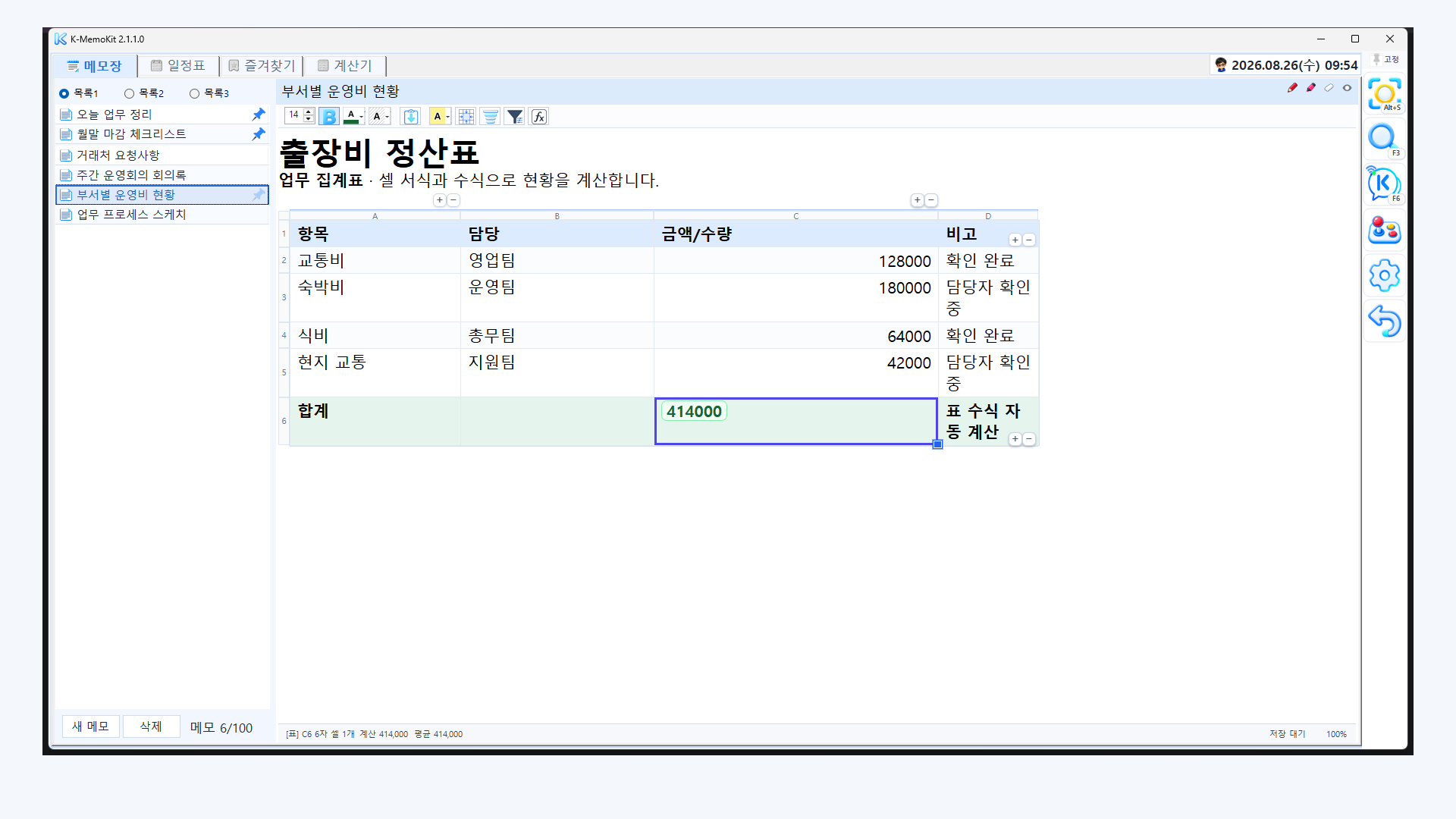
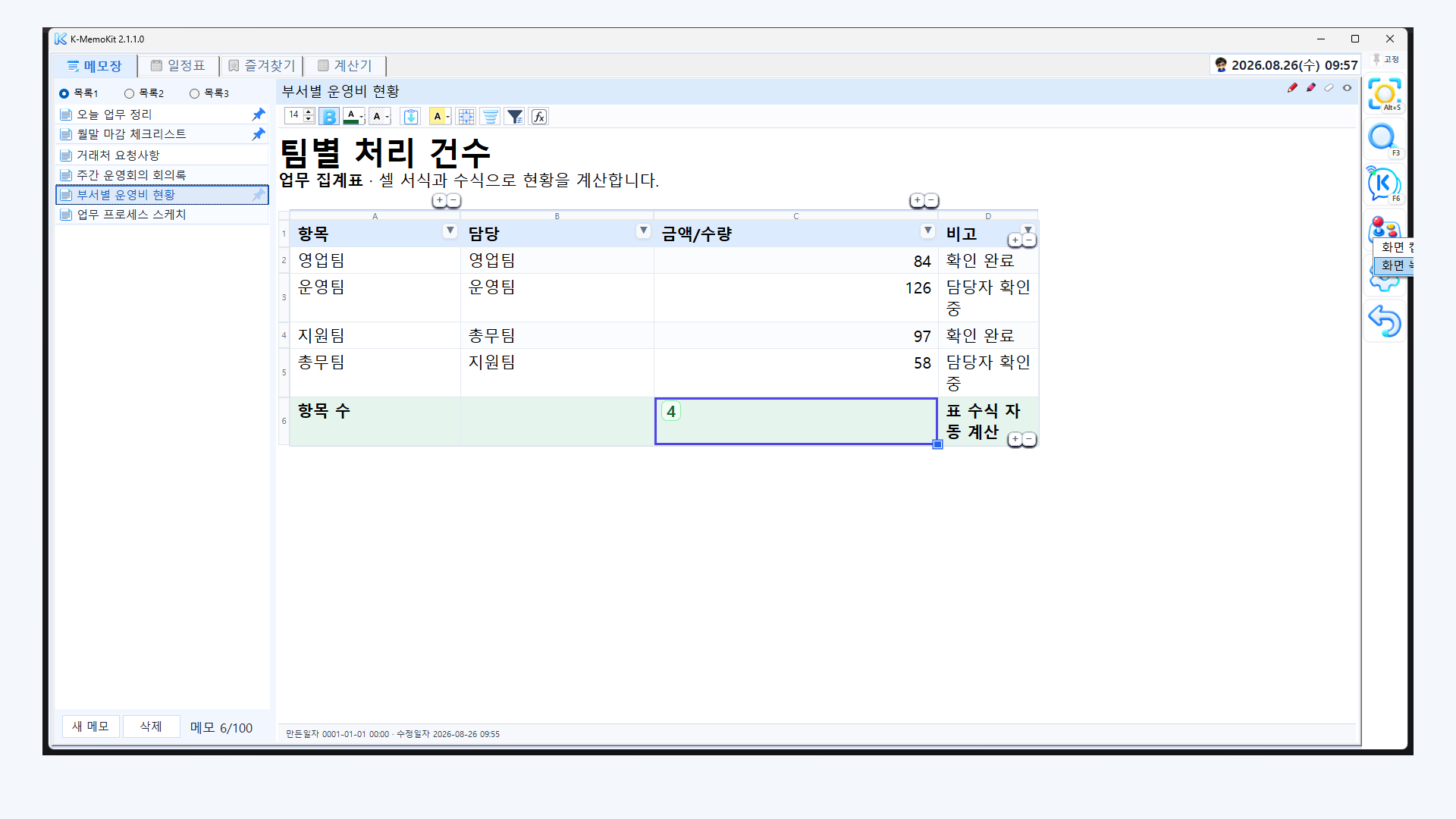
Shape ideas into documents and action lists with rich text, lists, checklists, tables, and formulas. Attach images and files, draw directly on a note, or keep one in a compact window where you can always see it.

  • Formatting · lists
  • Checklists
  • Tables · formulas
  • Images · files
  • Drawing
  • Mini notes
K-MemoKit calculating an expense total with formulas inside a note table

02 · PLAN THE MOMENT

See today’s order
and the month ahead.

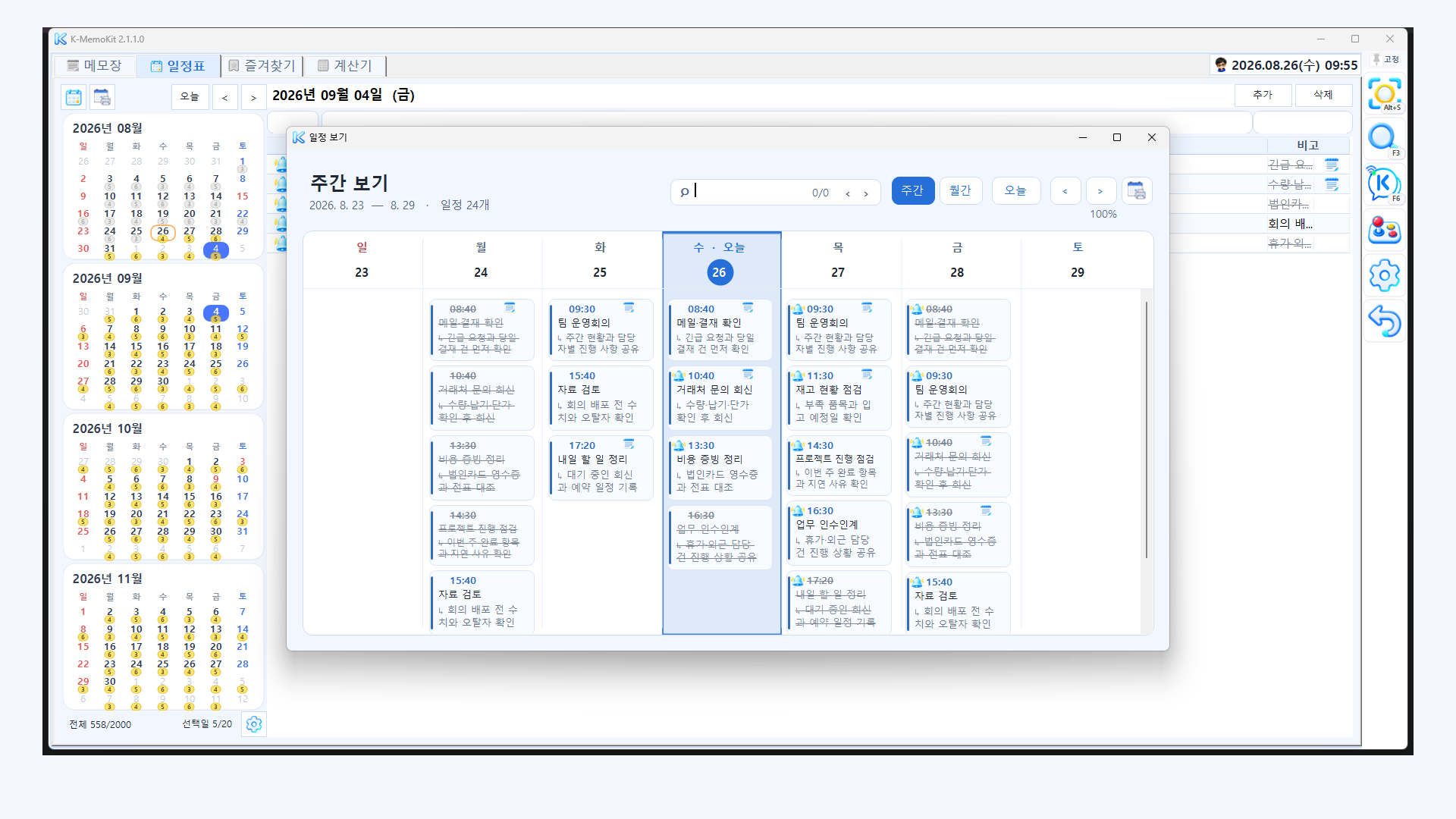
View busy days and open time together in daily lists and weekly or monthly boards. Recurring events, completion states, alerts, and linked notes keep the next action close.

K-MemoKit weekly view showing schedules as cards for each day

04 · LOCAL CONNECTION

Connect with people nearby
right when you need to.

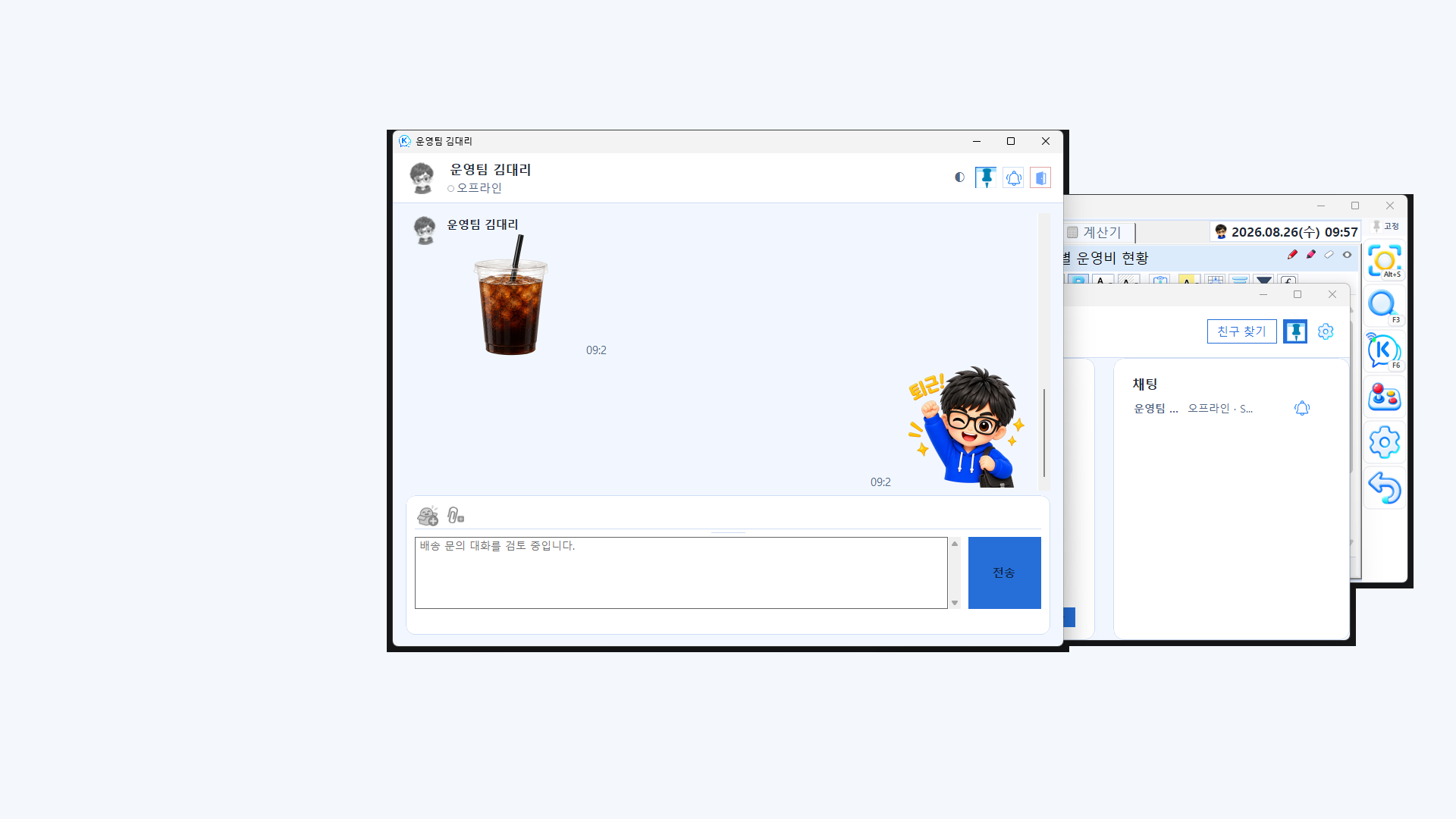
Use K Talk on the same local network to chat and send files or app items. Portable backups and direct transfers begin only when you choose to start them.

Connections may be limited by your network, router, or Windows Firewall settings.

K-MemoKit K Talk exchanging messages with a colleague on the same network

LATEST PRODUCT VIEW

See the product,
not just the promise.

These are real product views selected from the latest screenshot set. Screenshots are shown in Korean, but K-MemoKit supports an English interface. Nothing advances automatically, so you can explore each screen at your own pace.

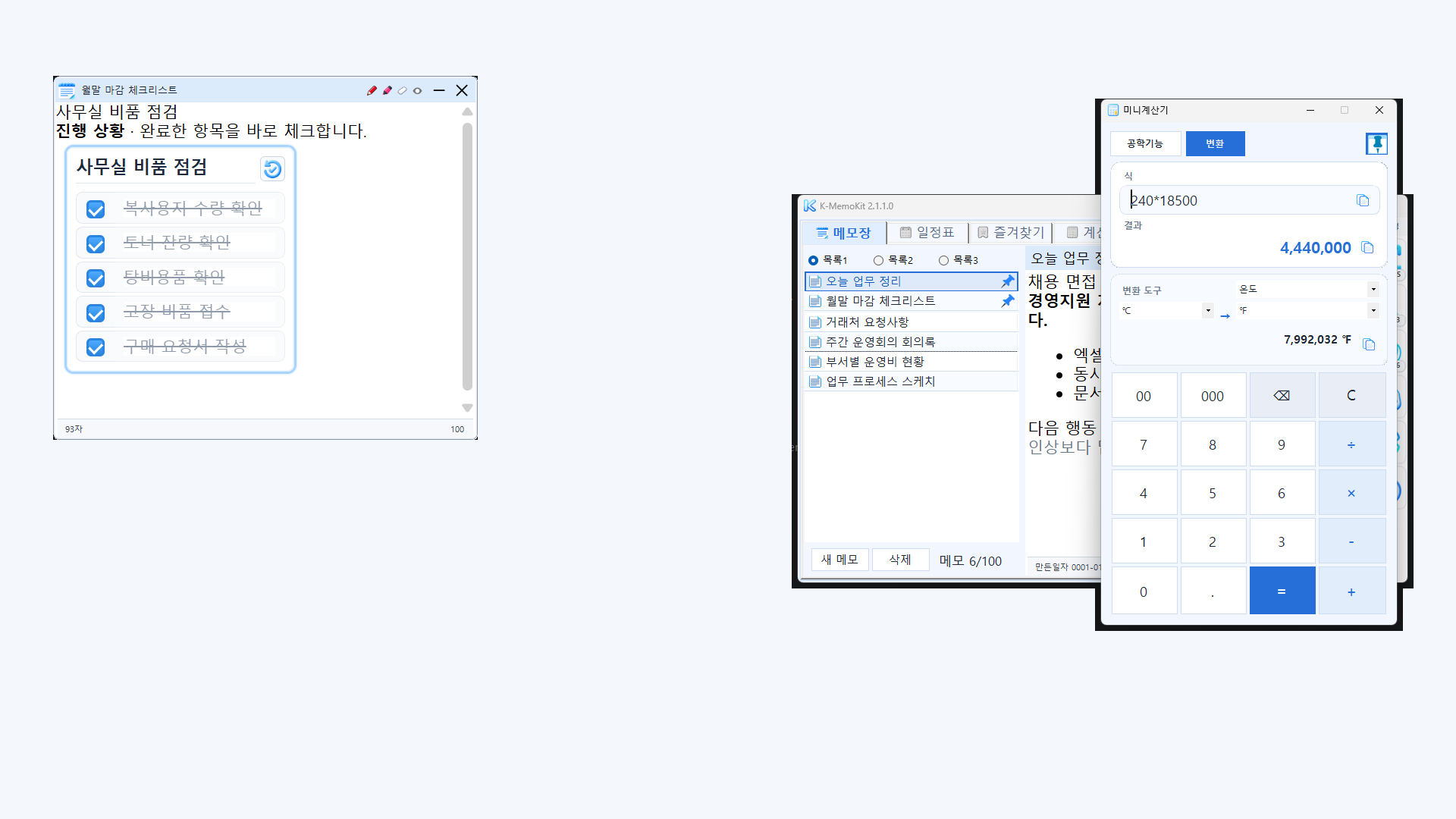
K-MemoKit displaying a note, mini note, and calculator at the same time
01

Keep it small. Stay focused.

Pin mini notes and a mini calculator above other windows to cut down on context switching.

01 / 07

LOCAL-FIRST BY DESIGN

Your records stay
close to you.

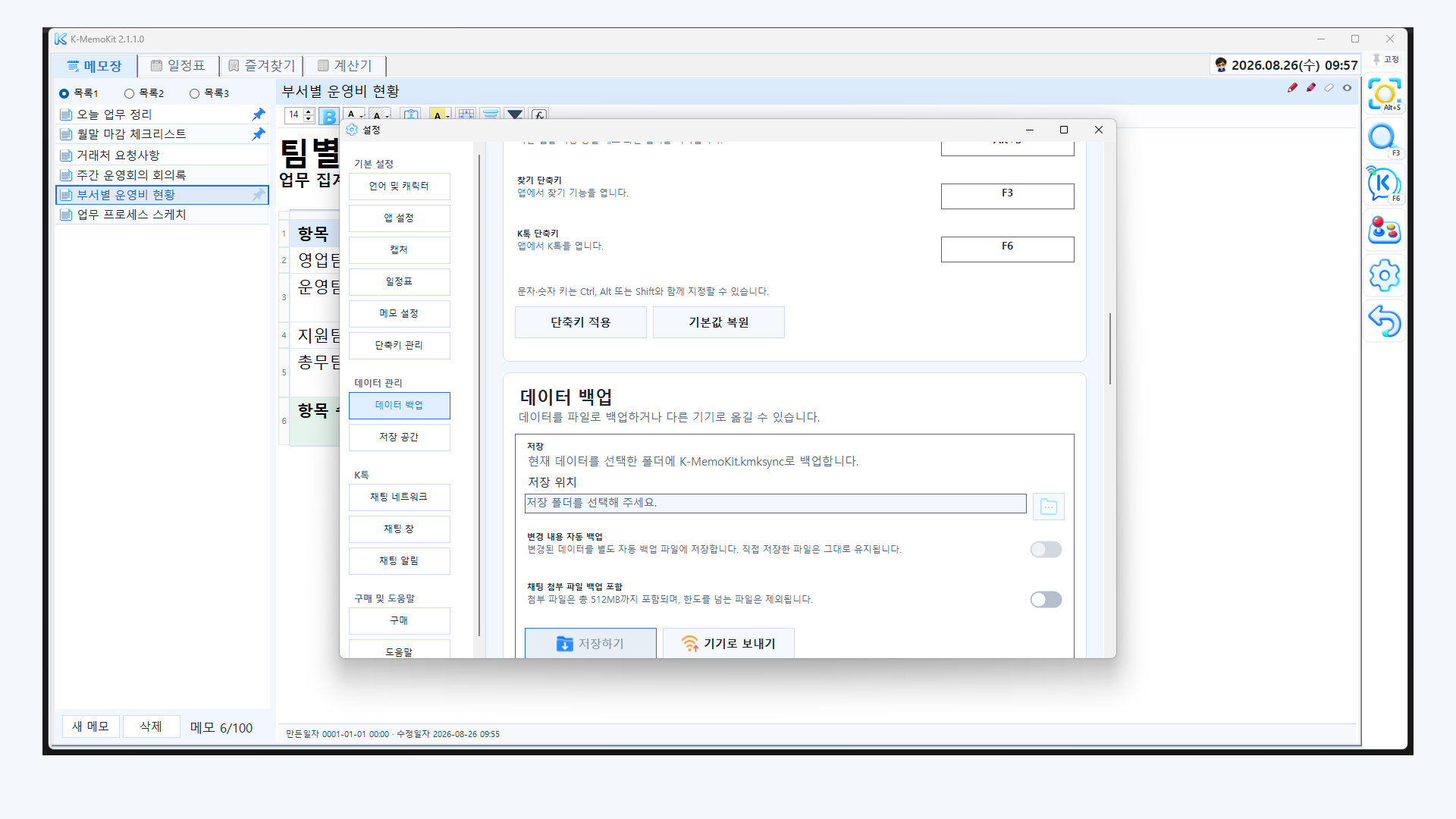
K-MemoKit does not require an account or collect what you create on KaironKit-operated servers. Your default Windows data stays on your device, while backups, exports, and transfers happen only when you choose them.

Read the Privacy Policy
01

Start without an account

Install and get going without registering your name or email address.

02

No content collection on our servers

Your notes, schedules, conversations, and attachments are not collected for advertising or user profiling.

03

You choose where data goes

You control portable backups, exports, selected storage locations, and direct transfers.

Update checks, storage providers you select, and local-network features may use a network depending on your settings and how you use them.

START SMALL

One note is enough
to organize today.

You do not need to learn every feature at once. Start with three things you already do.

  1. 01

    Create your first note.

    Write one clear title for what you need to do now.

  2. 02

    Connect a deadline.

    Add the time you cannot miss and a single reminder.

  3. 03

    Favorite what you open every day.

    Turn a frequently used link, file, or folder into your starting point.

Once it feels familiar, add unified search, mini tools, and K Talk one at a time.

The KaironKit developer crossing the finish line at a triathlon
IRONMAN 70.3 · Forward, again

KAIRONKIT · IRON WRITER

Tools made for
the moments that matter.

KaironKit takes its name from kairos—the decisive, meaningful moment. It is built on a simple belief: the right feature should be closest when it matters most. Through the weight and motion of everyday life, Iron writer keeps getting back up and refining that belief one feature at a time.

“A small convenience can become the turning point that changes the flow of an entire day.”

BEFORE YOU START

A few things
you may want to know.

For anything else, email kaironkit@gmail.com.

Which PCs can run K-MemoKit?

You can install it on an x64 desktop PC running Windows 10 version 1809 or later, or Windows 11.

Can I use it for free?

Yes. To celebrate the launch, every feature is free to use—no account or subscription required. This offer is for personal, non-commercial use; business and other commercial use requires separate permission or a license.

Are my notes stored on KaironKit servers?

KaironKit does not collect your notes, schedules, conversations, or attachments on its operational servers. Your default Windows data stays on your device. Update checks and storage providers you choose may still use a network.

How do K Talk and device transfer connect?

You start the connection yourself on the same local network. Device discovery or connection may be limited by your router, Windows Firewall settings, or network environment.

Which languages are supported?

K-MemoKit supports Korean, English, and Japanese interfaces.

YOUR NEXT MOMENT

Tomorrow morning,
start with one note.

Not just more features—fewer breaks in your day. Bring your records and next actions together with K-MemoKit.

K-MemoKit 2.1.4.0 · Windows Desktop x64 · Every feature free · No account or subscription · Personal, non-commercial use